Creative Technology — Interactive Installation
3
INSTALLATIONS
Real-Time
COLOR EXTRACTION
Zero
APP INSTALL
| Result | A scan-to-life pipeline now powers coloring installations like Draw A Fish and Color A Plane. Dino Aqua is a 3D take on the same idea. |
| My role | Designed and built the pipeline |
| Tools | Python, OpenCV, ArUco markers, Pixi.js, browser kiosk |
| The problem | Make a child’s crayon colors on paper show up live on an animated subject, without asking them to do anything precise. |
| What broke | Sprite-cut dinosaur legs looked stiff and bent when the head turned, and fins half-froze. Skeletal mesh skinning with per-leg bones fixed both. |
Color a printed template with crayons. Hold it up to the camera. Watch it come alive on screen — painted in your exact colors, pulled from the paper in real time.
Project Overview
Chromotion is the pipeline behind three coloring-to-life installations. Visitors receive a printed template — ArUco registration markers in each corner — and color it however they want. When they hold it up to the camera, a computer vision pipeline reads the color of each region, maps it to the matching part, and applies the colors to a real-time animated scene. The subject comes alive on screen wearing exactly what was drawn on the paper.
The scanning pipeline auto-discovers new templates dropped into its folder — adding a new subject requires no config changes.
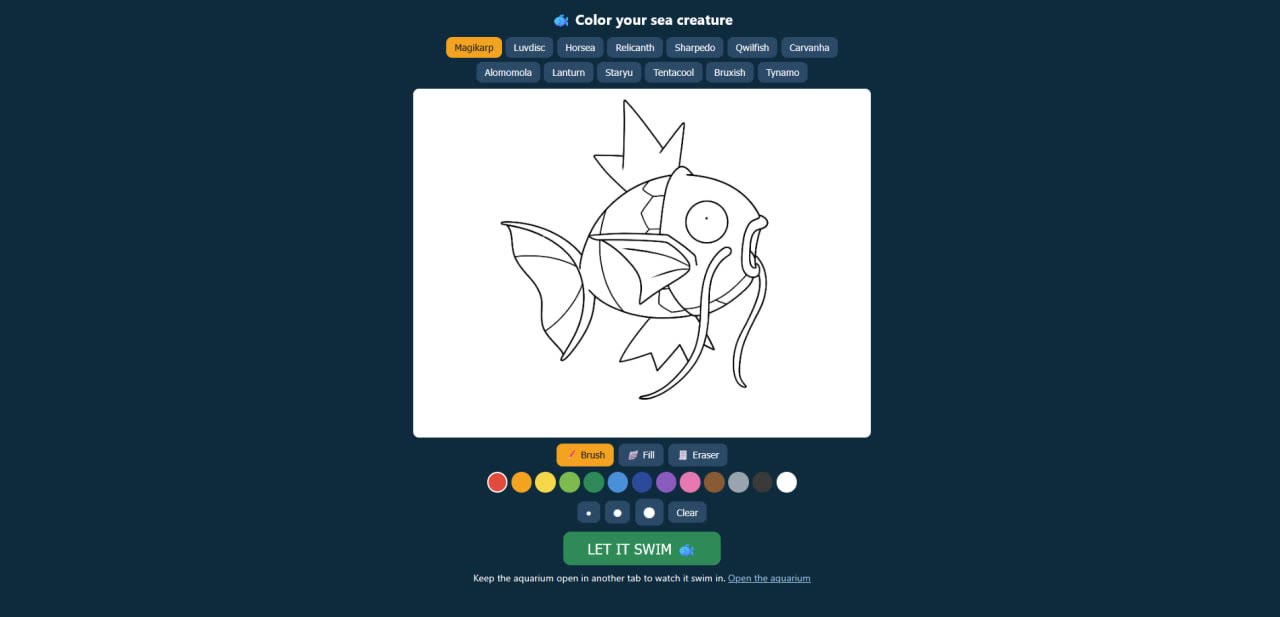
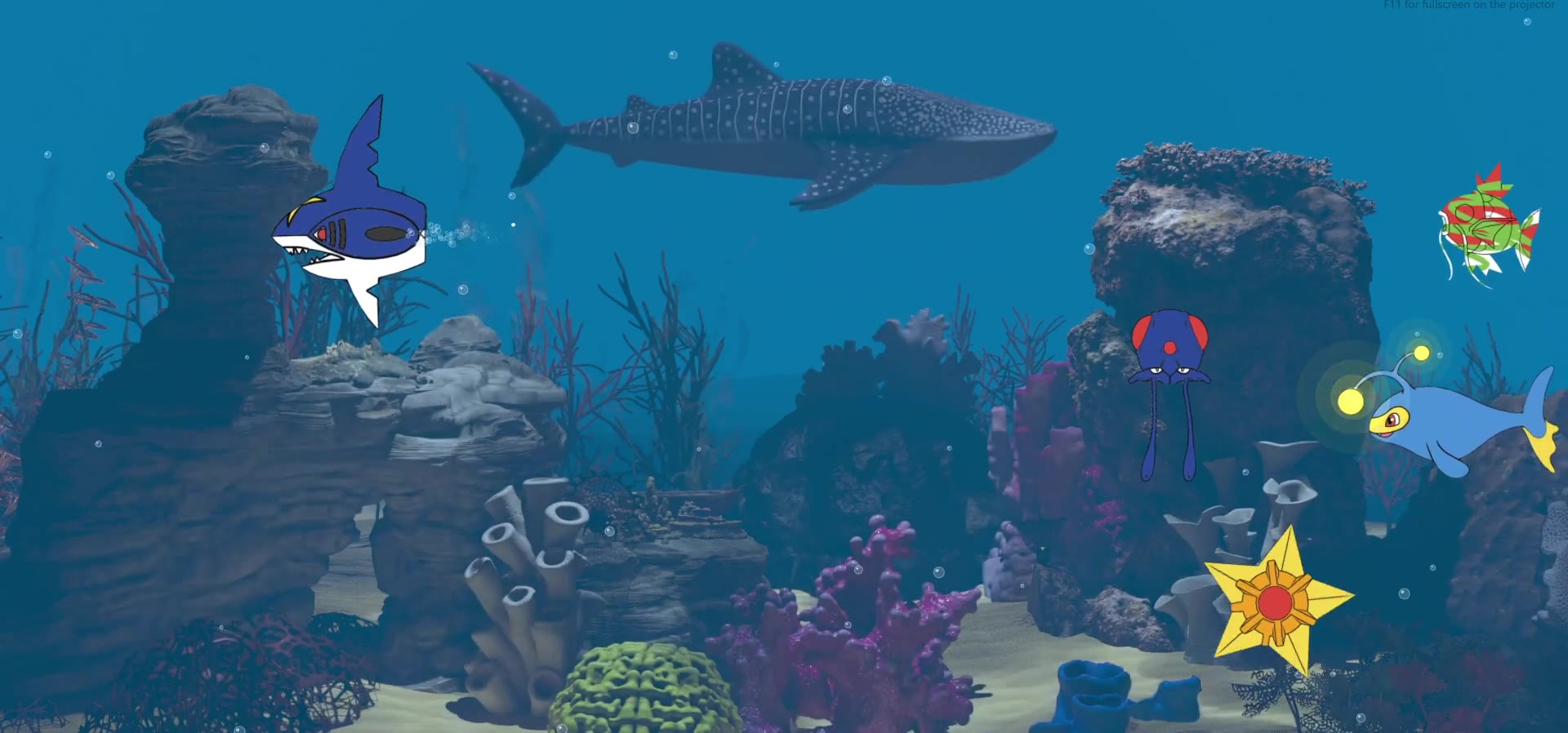
Draw A Fish and Color A Plane run the same scan-to-life pipeline. A third build, Dino Aqua, is a 3D take on the same idea (print, color, scan, it comes alive), made fresh as a concept for Adobe Aqua. Screenshots and clips below are from those builds.
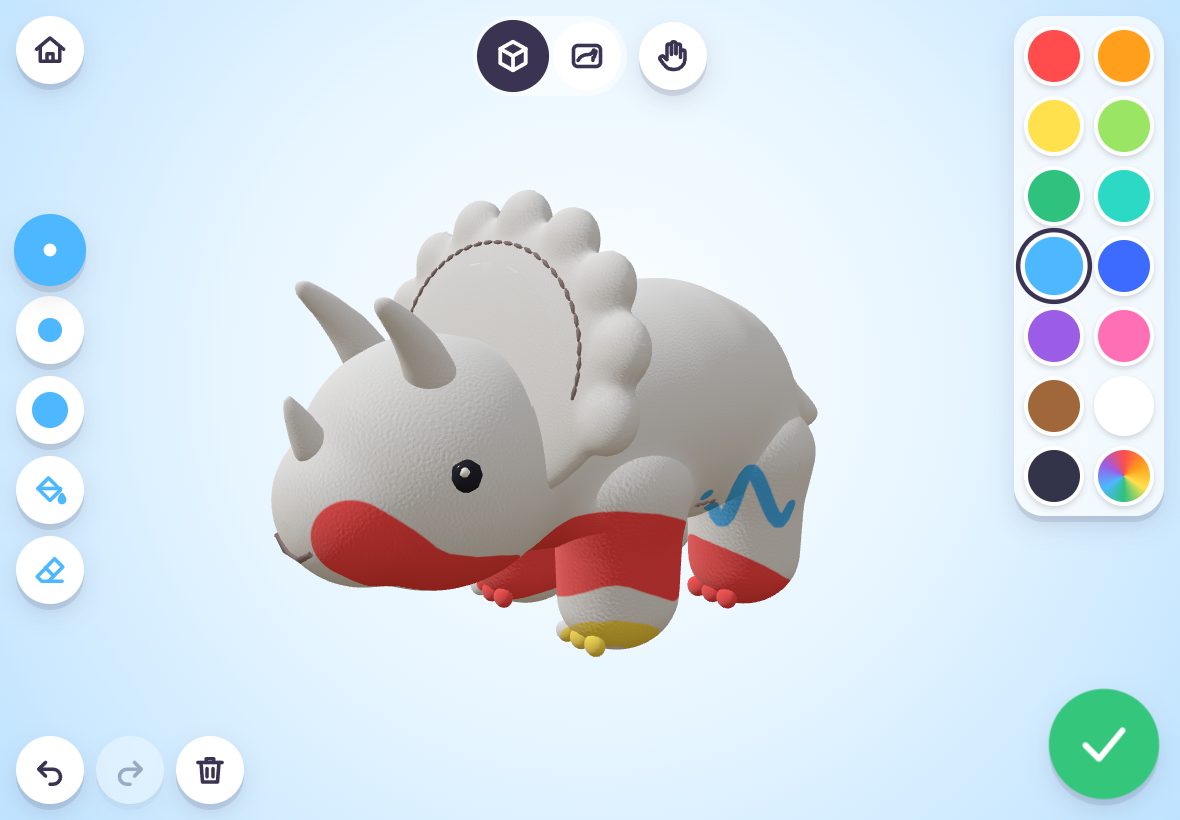
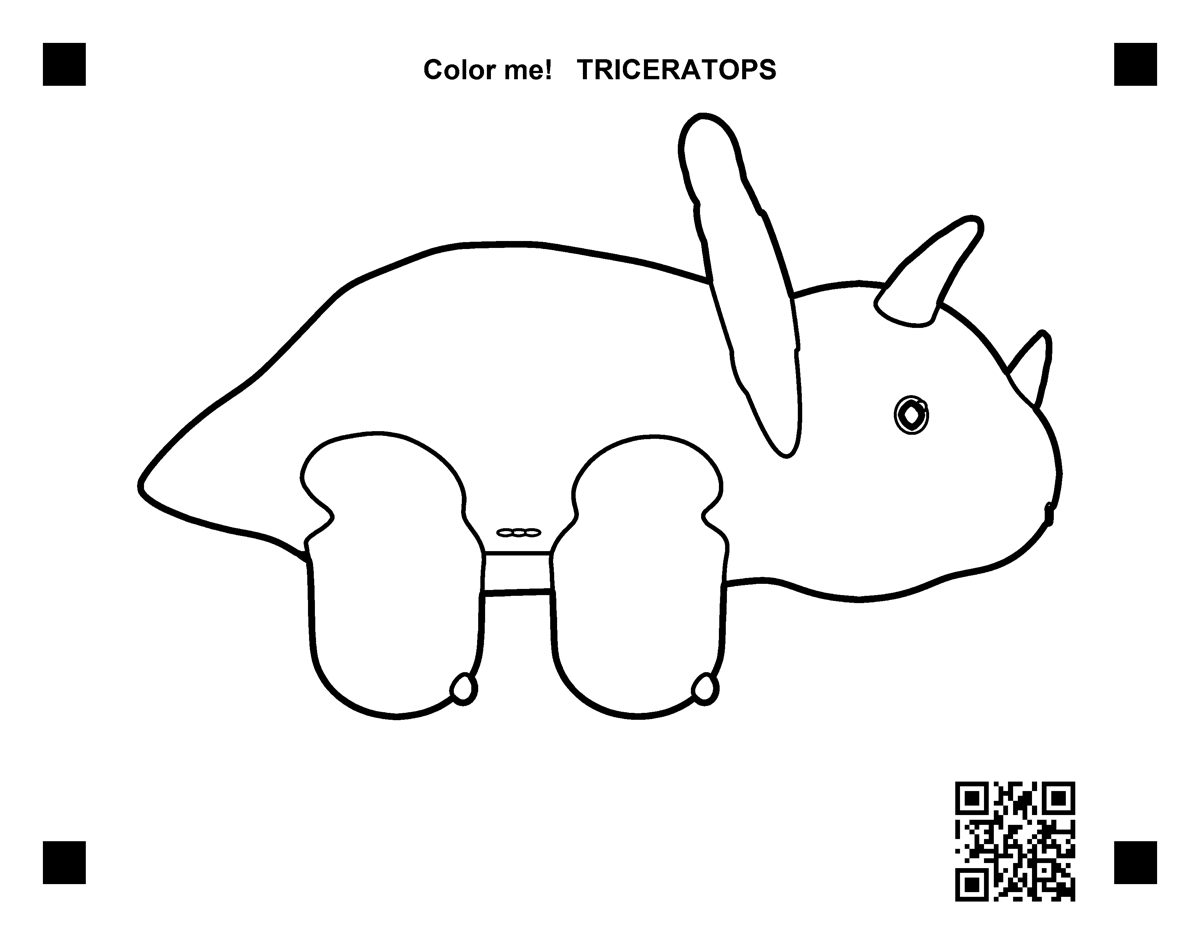
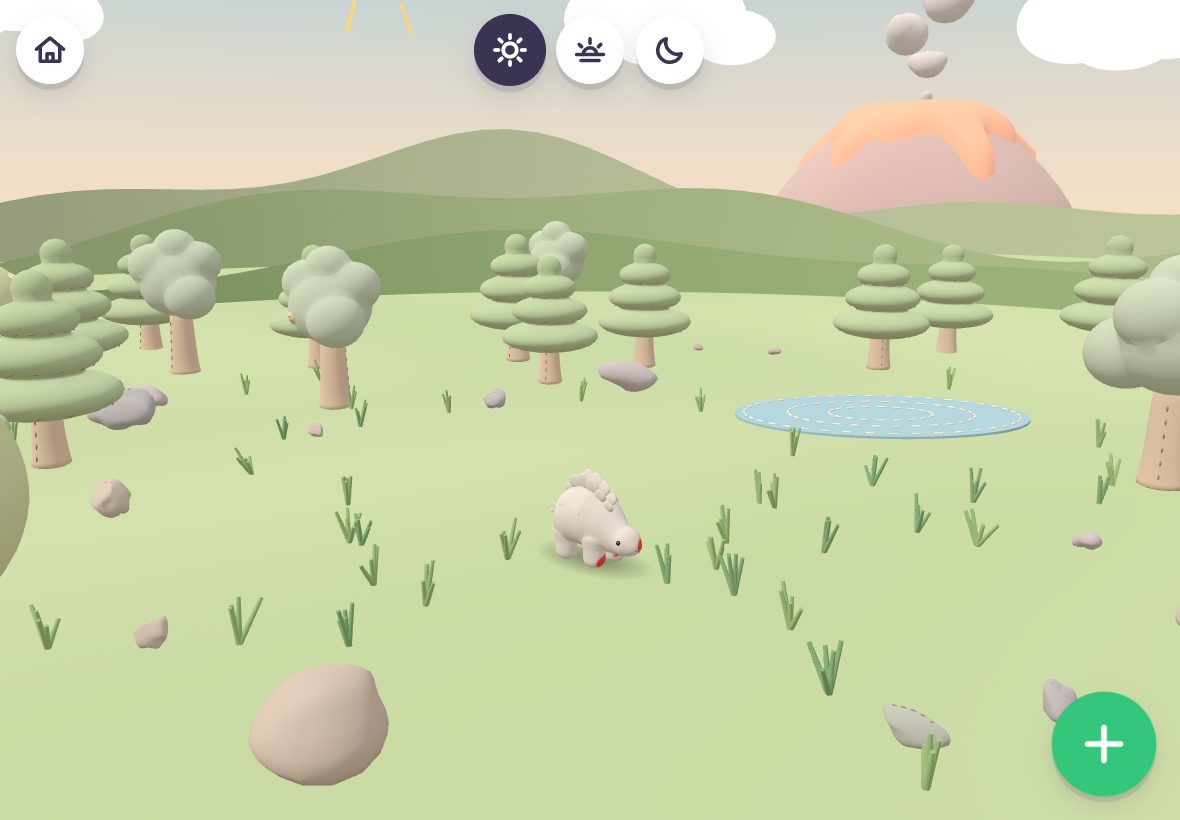
Dino Aqua is a 3D paint-your-plush-dino app for kids, iPad first, made as a concept for Adobe Aqua. Pick a stego, triceratops or T-rex, rotate it and paint right on the 3D model (or a flat side view), press Done, and it hatches out of a stitched plush egg into a felt toy world with felt trees, a felt volcano, drifting clouds and twinkling stars at night. Tap the ground to drop food and the dinos walk over to eat. Or print a coloring page, color it with crayons, scan it with the iPad, and the colors land on the 3D dino.
Color A Plane: Built for a Museum Floor
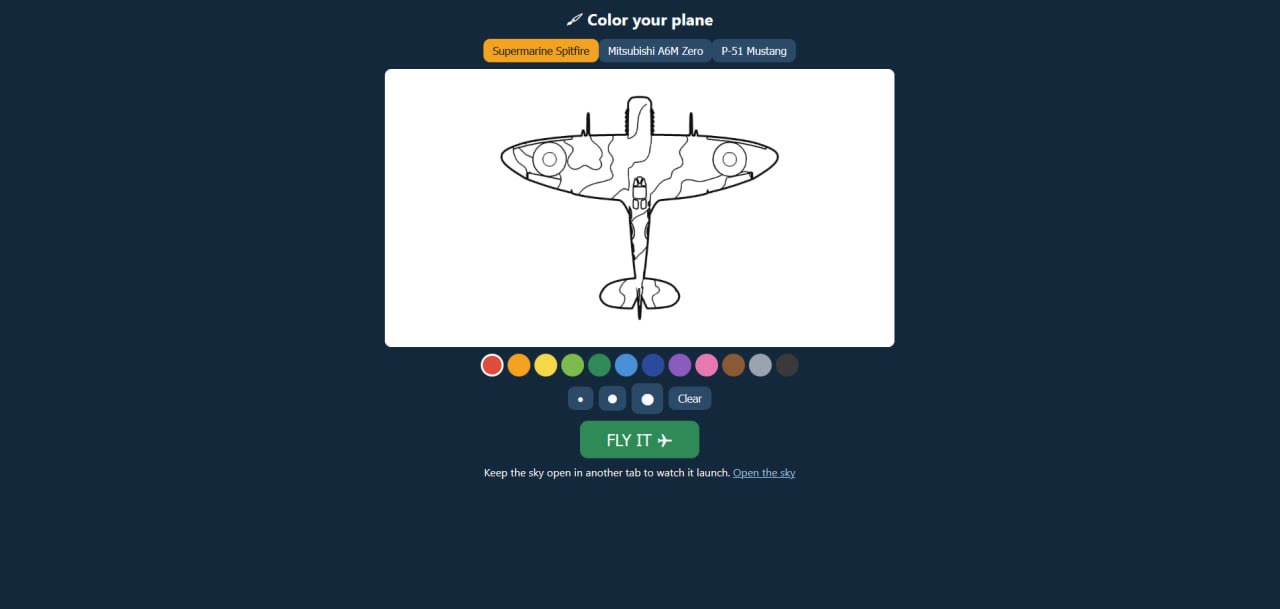
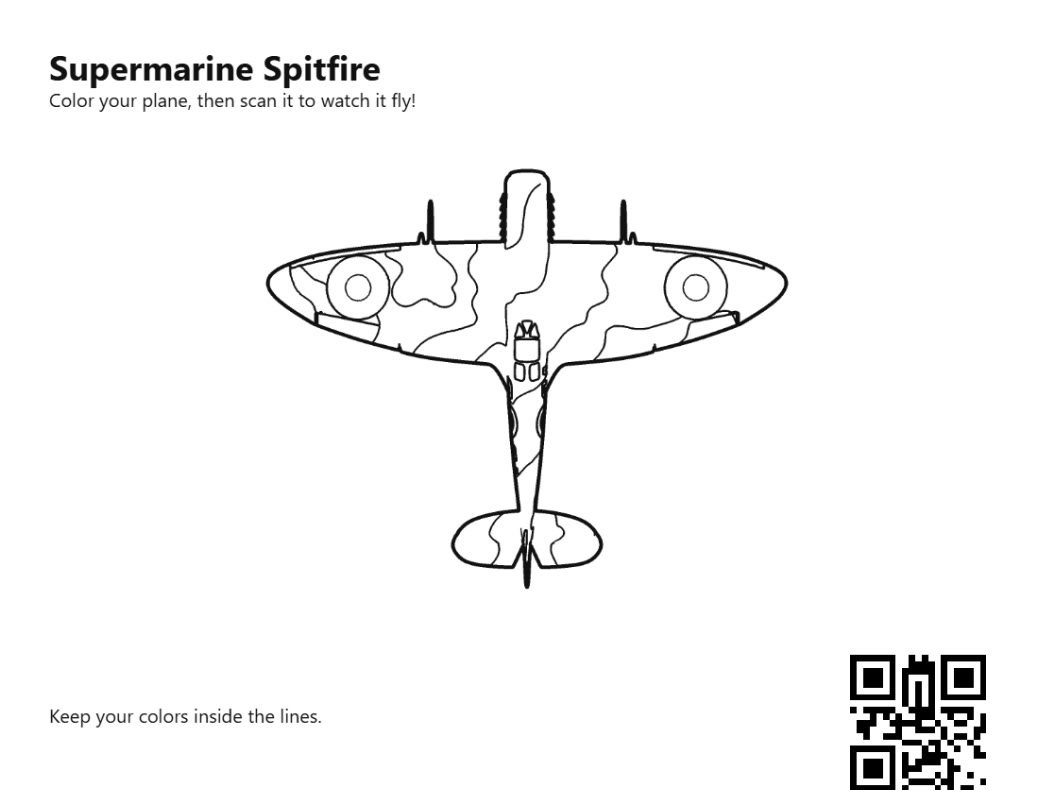
Color A Plane (formerly Draw A Plane) grew into a full museum build, demoed for the National Museum of World War II Aviation in Colorado Springs. Kids color one of eight WWII planes from the museum’s own collection, scan it, and watch it take off down a runway or a carrier deck, fly in formation, and land back when its time is up, trailing smoke in the colors they used.
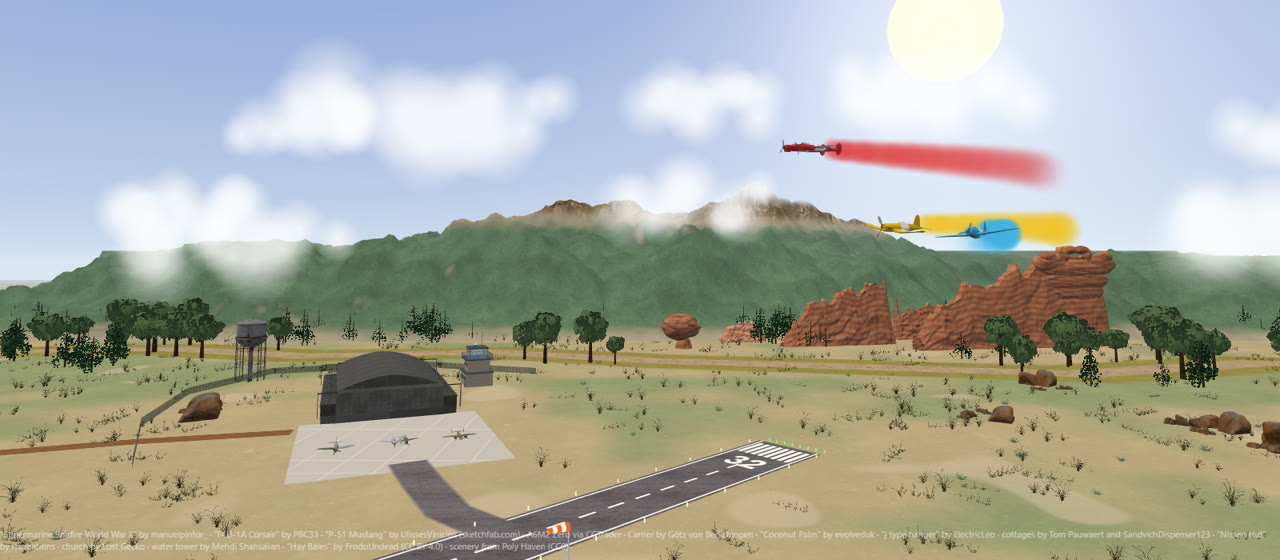
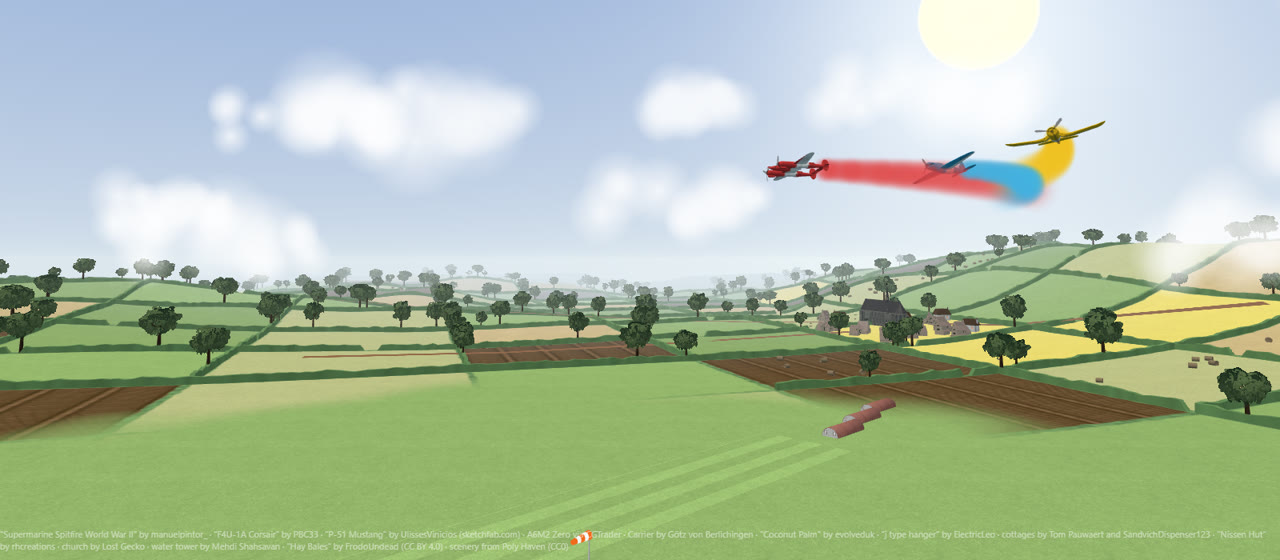
I built the P-38, B-25, TBM, SBD, P-47 and SB2C models myself in Blender by script, so every plane has a spinning propeller per engine, a separate canopy and clean panel lines for the coloring page. There are three worlds: Pacific islands, a Colorado Springs airfield with the real Front Range and Pikes Peak from elevation data plus Garden of the Gods and the Kissing Camels, and an English countryside airstrip with a stone village and church. A staff page sets flight time, how many planes fly at once, opening hours, branding and which planes and scenes are on offer. It runs offline and keeps going if the camera drops out.
The Challenge
Coloring is one of the oldest creative acts. Screens are everywhere. Getting the two to actually talk to each other — so that the crayon marks on the paper become real attributes of something that moves — is harder than it looks.
Paper + crayon = static. Paper + camera + code = alive.
Make the coloring matter. Make it move.
Color extraction had to tolerate crayon texture, uneven lighting, and imprecise coloring within region boundaries. Registration had to work without asking the user to do anything precise. The whole pipeline had to run fast enough that the result felt instant.
How It Works
Three steps. No instructions needed.
Color the Template
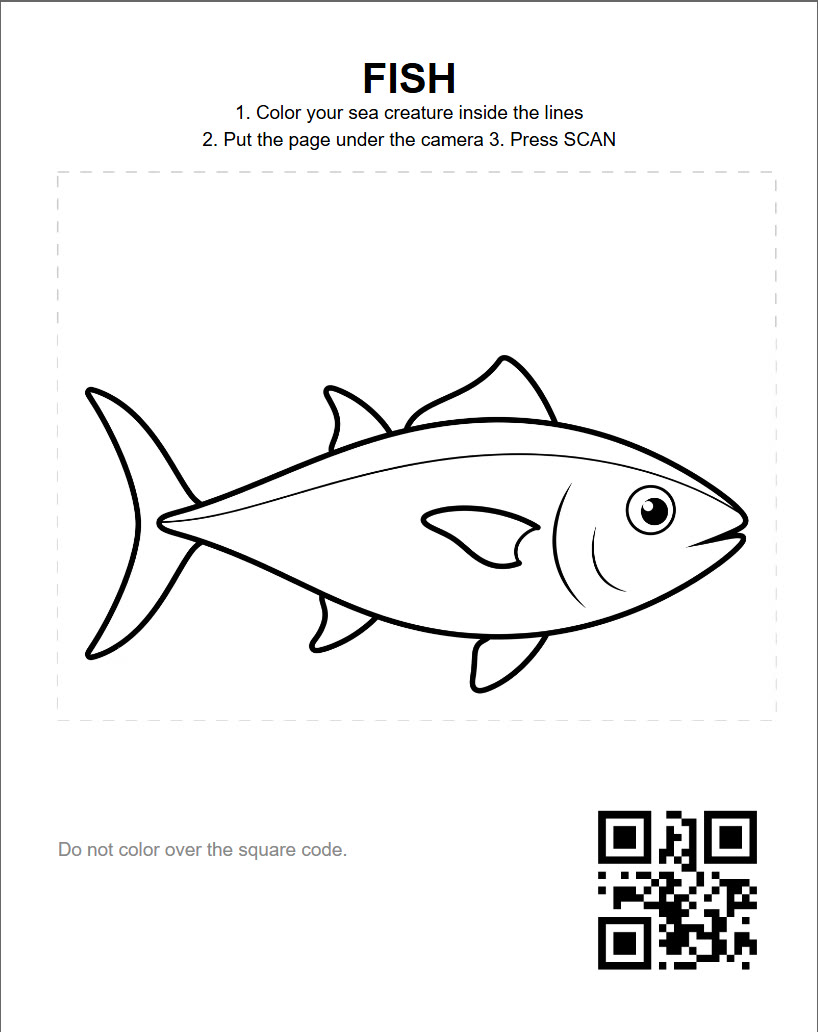
Visitors receive a printed template with ArUco registration markers in each corner. They color it with any crayons or markers. No rules about staying inside the lines.
Scan and Extract
The camera detects the ArUco markers and corrects for tilt and distance. Computer vision samples each region and extracts the dominant color. The result is a color map tied to the subject’s parts.
Bring to Life
The color map is sent to the real-time scene. Each part updates to match — the subject comes alive wearing exactly what was colored on the paper.
Color It Yourself
The coloring page is the same idea across all three builds: pick a species, pick colors, no rules about staying inside the lines.
Print It Instead
The original, kiosk-friendly path: a printable sheet with a scan code, colored with real crayons or markers.
Where It Went Next
Same registration + scan pipeline, different worlds: a felt toy world, an aquarium, and WWII skies.
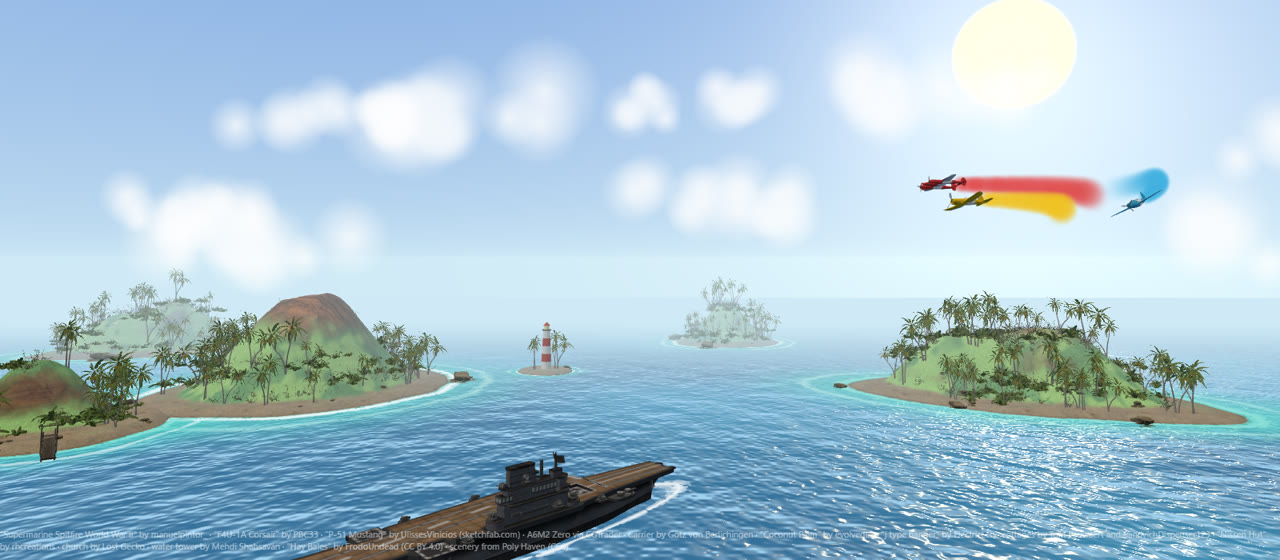
Three scenes, switchable from the staff page:
In Action
What Broke
Getting a flat crayon drawing to drive, walk and swim took more rounds than the scanning did.
Wheels Off the Car
In the original car version, once the wheels started rolling they would not stay lined up with the car bodies. The same kind of problem, moving parts drifting off the body, came back with the dinosaurs and the fish.
Stiff Dinosaur Legs
My first rig cut the legs into separate sprites that swung like paper dolls, and turning the head bent the tops of the legs. I switched to skeletal mesh skinning: the whole drawing is one image stretched over bones, and each leg only listens to its own bones.
Half-Moving Fins
Fins are cut out of the drawing so they can flap. When a cutout clipped a thin vein line, half the fin moved and half stayed frozen. Every fin outline now has to enclose every line of ink in that fin.
A Pixi.js Crash
Cleaning up an old mesh by destroying its texture broke the next mesh Pixi.js built, and it took three debugging rounds to find. The fix was to let Pixi handle the cleanup.
Implementation
| Color Extraction | Python + OpenCV. Per-region sampling with percentile-based color selection to handle crayon texture and edge noise. |
| Registration | ArUco markers at all four corners. Perspective correction handles tilt, distance, and hand tremor without user effort. |
| Rendering | Pixi.js sprite scene. Each part is a separate sprite layer — colors swap without re-rendering the full scene. |
| Server | Python HTTP server auto-discovers new templates by folder name. Adding a new subject requires no config changes. |
| Hardware | Any USB camera, any display. Runs in a browser tab. Kiosk mode needs no native install on the host machine. |
| Sibling Builds | Draw A Fish and Color A Plane both run this exact pipeline: swap the template art, the pipeline doesn’t change. Dino Aqua is a 3D concept for Adobe Aqua built fresh on the same idea: Three.js + Vite, GPU paint projected into the model’s UV texture, coloring pages scanned with corner markers + QR (jsQR), a homography and per-texel side-camera projection. The dinos are rigged Blender models with walk, idle, turn and hop clips. |
Key Takeaways
01
The Paper Is the Input Device
Removing the touchscreen from the equation changes who can participate. A three-year-old with a red crayon has the same access as anyone else. The coloring sheet is the controller.
02
Registration Without Effort
ArUco markers handle all the geometry correction invisibly. Visitors never align anything, hold anything still, or follow any instruction about distance or angle. The system compensates for all of it.
03
Extensible by Design
The pipeline discovers new templates by folder — dropping in a new subject requires no config edits. Draw A Fish and Color A Plane are proof: same scan-and-render core, entirely different worlds.
Want something like this for your venue, museum, or event?