Creative Technology — Physical-Digital Installation
25
MECHANICS
2
BLOCK TYPES
< 1
FRAME RESPONSE
| Result | A projected physics wall where cardboard blocks drive 25 mechanics, with the simulation responding within one frame. |
| My role | Designed and built it, open source |
| Tools | Vanilla JavaScript, Matter.js, js-aruco2, ArUco markers, projector, USB camera |
| The problem | Physics puzzle games live behind glass, so the tactile, social part of play is missing. |
| What broke | The ArUco markers stopped tracking when the room light was too low, and blocks still do not always line up exactly with the projection. |
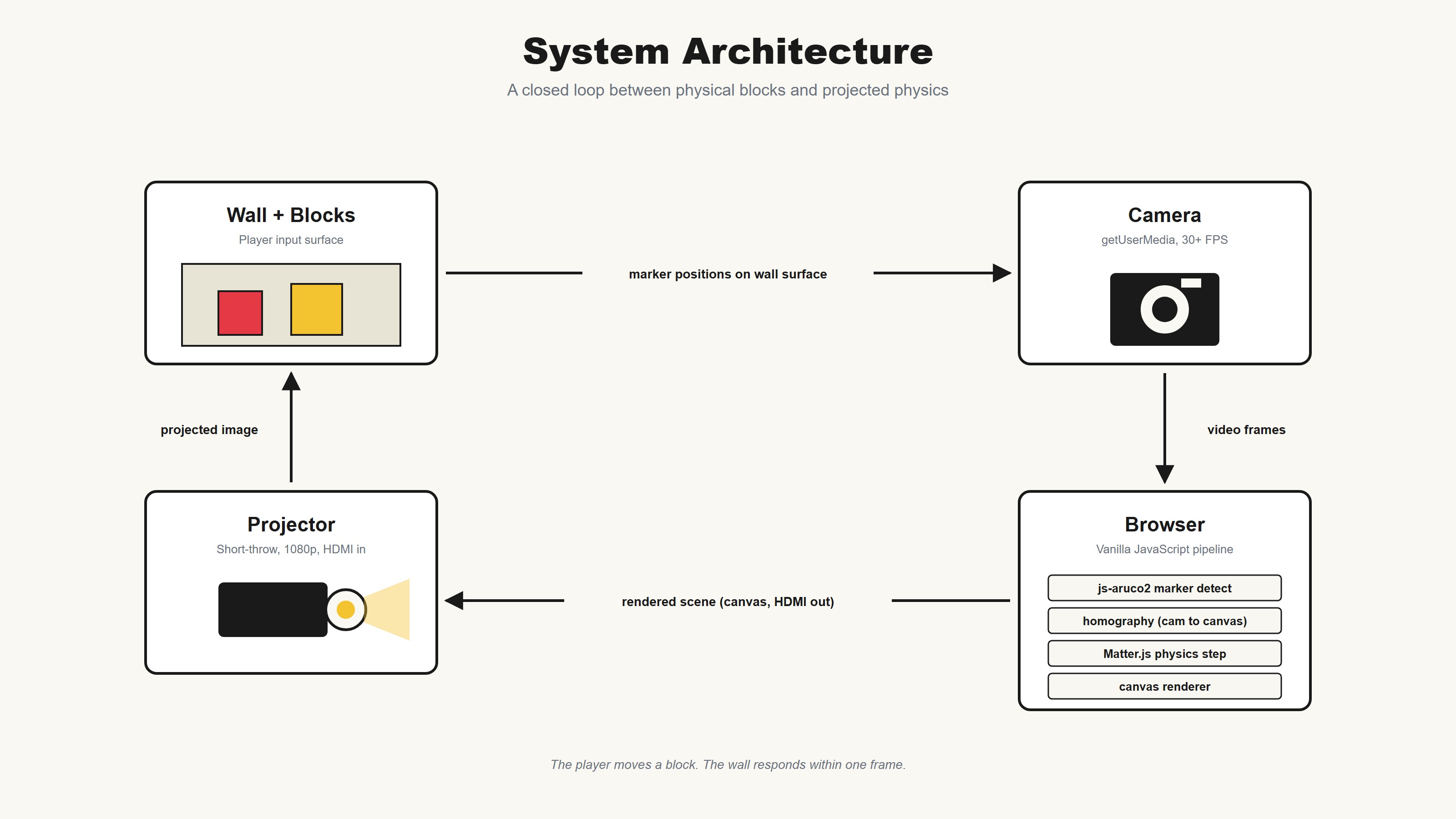
A physical-digital puzzle wall where cardboard becomes physics. Players arrange real blocks in front of a projection. A camera reads each block’s color and marker. The simulation responds within one frame.
Project Overview
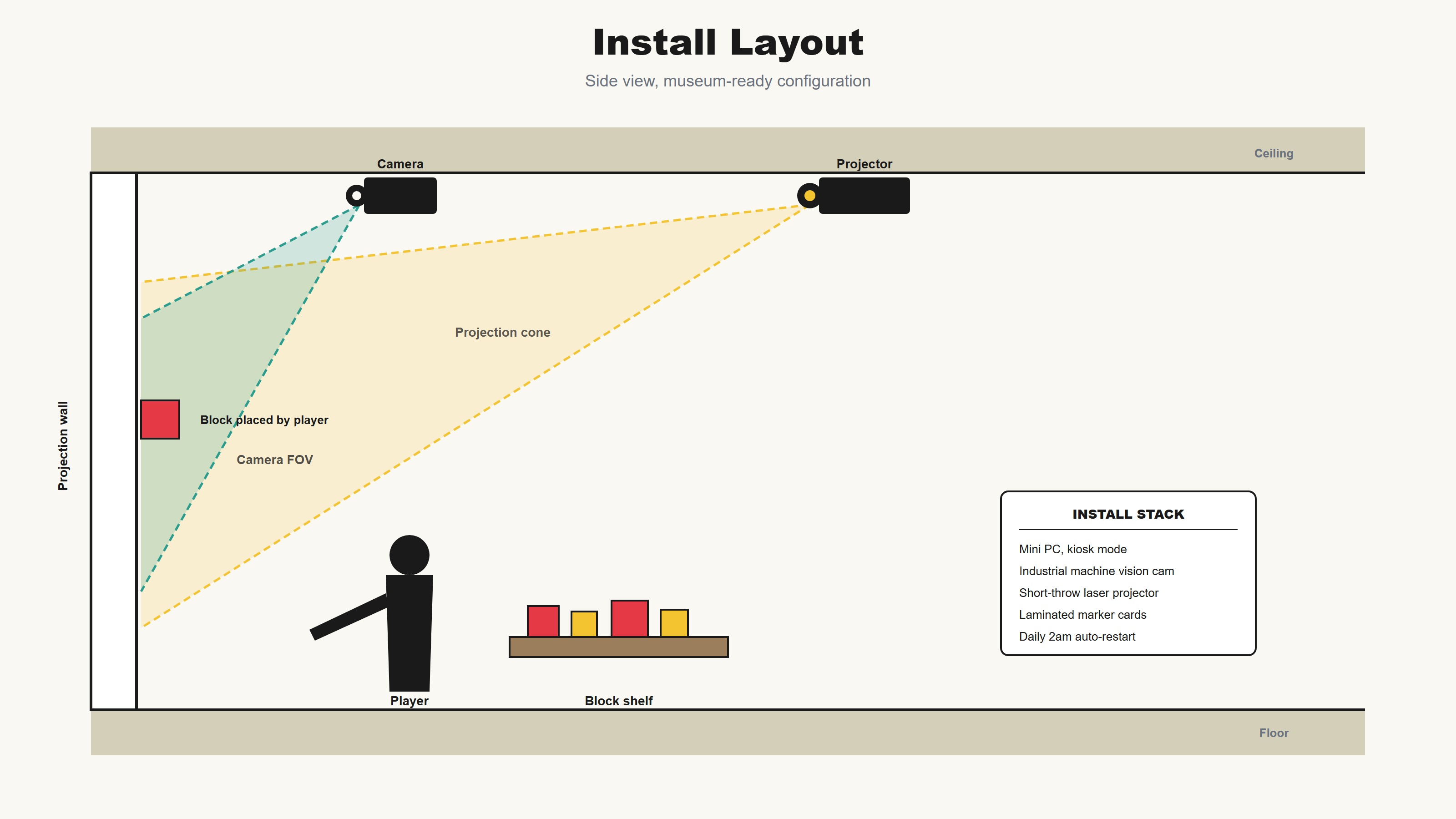
Gizmo Factory is an interactive installation built for a wall. A projector beams a physics sandbox onto a flat surface. Players place real cardboard blocks in front of it. A camera reads each block’s color and printed ArUco marker. The simulation spawns the matching ramp, spring, or bumper at the block’s position and orientation. Balls drop from the top. The blocks decide where they land.
The whole system is built from scratch in vanilla JavaScript and runs in a browser tab. No game engine, no native app, no fabricated controls. Cardboard plus a camera plus a projector.
The Challenge
Most physics puzzle games live behind glass. You tap a screen, the screen does the work, you watch. The tactile, social, share-a-block-with-the-kid-next-to-you part is missing. The wall ought to be the game, and the cardboard ought to be the controller.
Strategic Solution
Physical Toolkit
Two block types. Red for blocking and routing. Yellow for bouncing. Each block carries a printed ArUco marker. Replaceable in seconds. No electronics inside the props.
Live Computer Vision
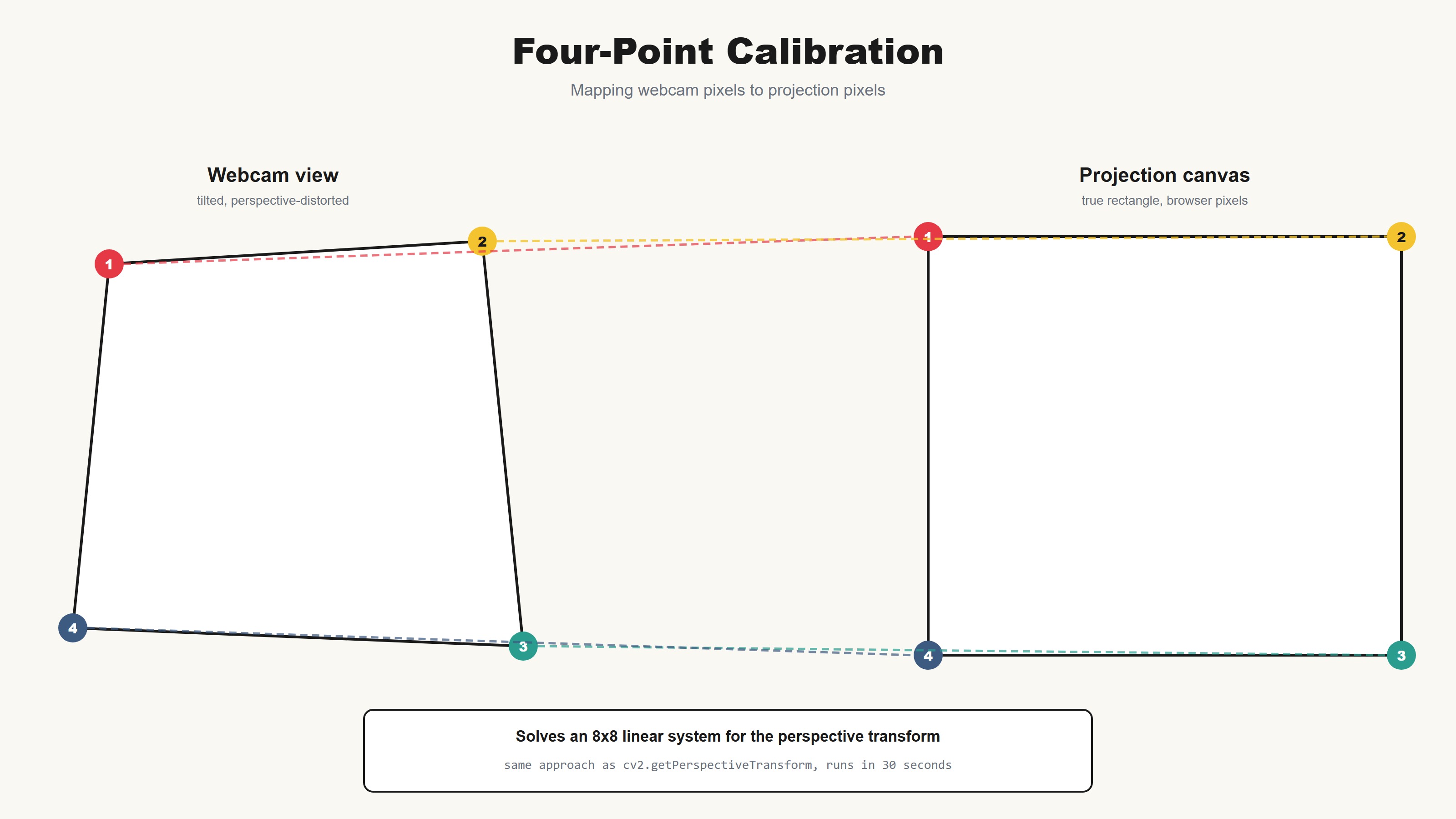
A camera tracks markers at twenty frames per second. A four-point homography maps camera pixels to projection pixels. Calibration takes thirty seconds and survives a refresh.
Browser-Native Engine
Matter.js physics, vanilla JavaScript, zero build step. The same browser tab runs the editor, the engine, and the wall. Levels save as readable JSON.
Process Timeline
The Toolkit
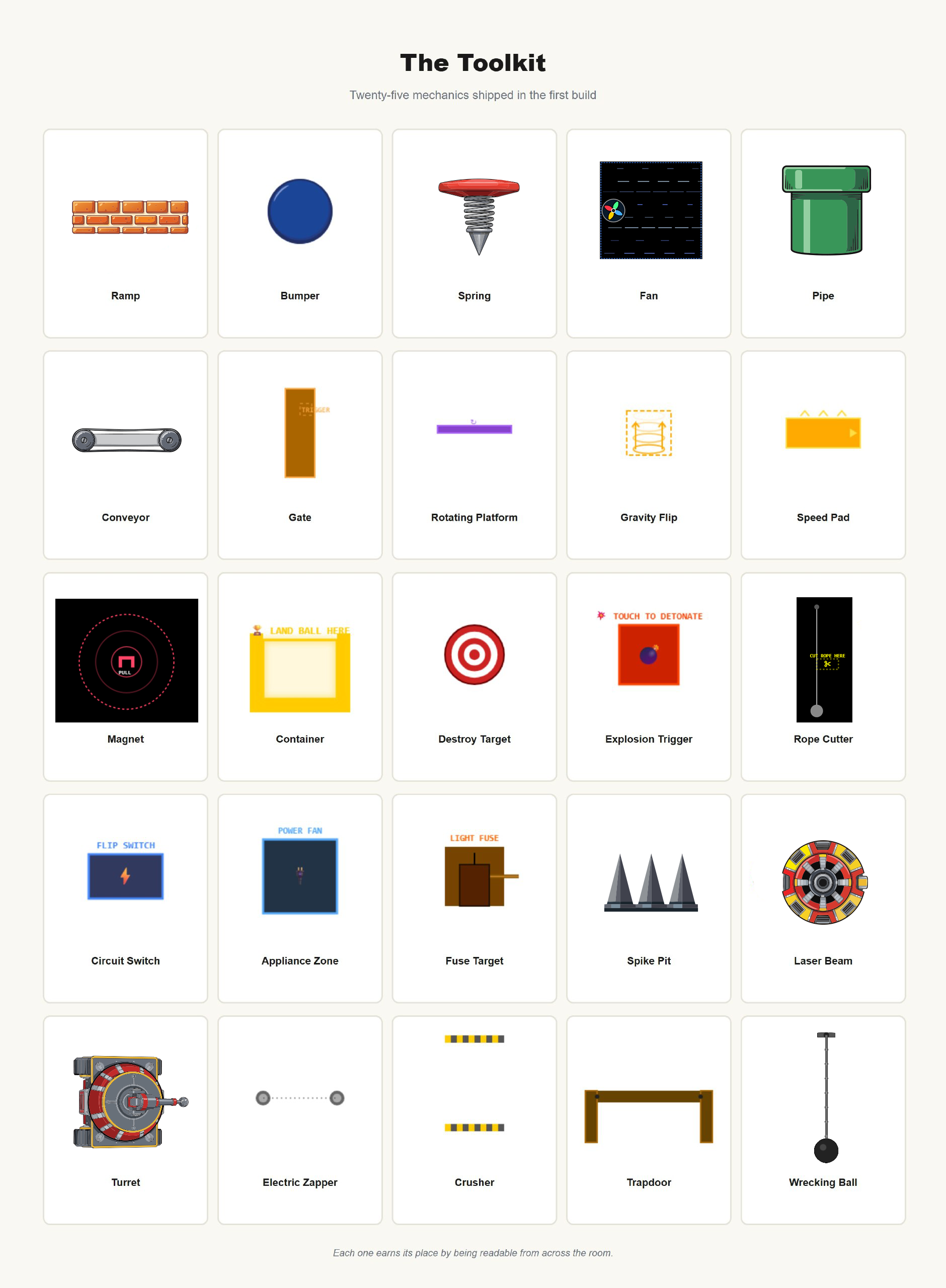
Twenty-five mechanics shipped in the first build. Ramps, bumpers, springs, fans, pipes, conveyors, gates, magnets, containers, spike pits, lasers, turrets, wrecking balls, and more. Each one earns its place by being readable from across the room.
System Architecture
Calibration
A four-point calibration step fixes camera-to-projector alignment. Click the four corners of the play area in the webcam feed, then click the matching corners on the projected canvas. An eight-equation linear system solves for the perspective transform. The result saves to the browser and survives a refresh.
Implementation
| Engine | Vanilla JavaScript + Matter.js, zero build step, runs in a single browser tab |
| Computer Vision | js-aruco2 marker detection at 20 FPS, throttled to protect physics frame time |
| Calibration | 4-point perspective homography, Gaussian elimination, ~30 second setup |
| Hardware | Any USB camera plus any HDMI projector. Mini PC sufficient for permanent install. |
| Toolkit | 25 mechanics, 2 physical block types, browser-based level editor |
| Source | Open source — github.com/lightandlense/ball-fall-editor |
Key Takeaways
01
Tangible Beats Tactile
Putting the game on a wall and the controls in players’ hands changes the social shape of play. People hand each other blocks. They point at the wall. They argue about strategy. None of that happens around a screen.
02
Browser-Native Wins for Installs
The same browser tab runs the editor, the engine, the calibration, and the show. No build pipeline, no native binaries, no platform drift. A museum can update a level by editing a JSON file.
03
Replicable Without Specialists
The system runs on any USB camera and any HDMI projector. A venue with a laptop and a short-throw projector can install it in an afternoon. Marker cards are paper, replaceable on the spot. The system is open source.
Want something like this for your venue, museum, or event?